Showing posts with label design. Show all posts

Monday, August 20, 2018

SharePoint Office 365 Books

Free Microsoft Tech Books

2018 Free Books

http://aka.ms/mspressfree

Free Books from MVA

https://mva.microsoft.com/ebooks

Free Books from TechNet

E-Book Gallery for Microsoft Technologies
Free books from Microsoft’s Senior Sales Excellence Manager in the past.
Over the years, Microsoft has given away millions of free Microsoft books to check out these lists on older titles!

2017 – Awesome List Once Again!

https://web.archive.org/web/20190209134103/https://blogs.msdn.microsoft.com/mssmallbiz/2017/07/11/largest-free-microsoft-ebook-giveaway-im-giving-away-millions-of-free-microsoft-ebooks-again-including-windows-10-office-365-office-2016-power-bi-azure-windows-8-1-office-2013-sharepo/

2016 – Awesome List Once Again!
https://web.archive.org/web/20190209134056/https://blogs.msdn.microsoft.com/mssmallbiz/2016/07/10/free-thats-right-im-giving-away-millions-of-free-microsoft-ebooks-again-including-windows-10-office-365-office-2016-power-bi-azure-windows-8-1-office-2013-sharepoint-2016-sha/

Free Books from Real Time Publishers (ads)

https://www.realtimepublishers.com/

Office 365 – Suggested

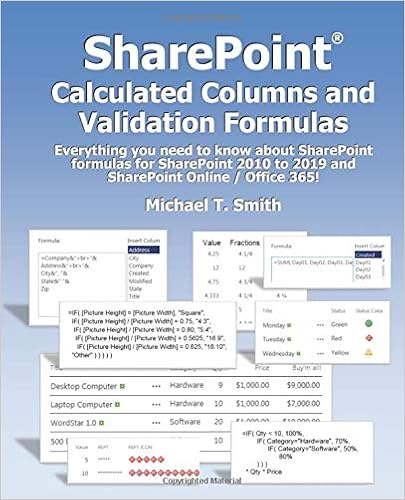
Check out SharePoint MVP Mike Smith’s latest book.  Mike Smith is a trusted SharePoint author with several great SharePoint reference books that fill the in blanks when SharePoint documentation is lacking.  Mike’s latest book is treasure trove of missing formulas that will help any SharePoint power user or administrator.  Everything from simple calculations to complex Calculated Columns and Validation formulas can be found in what will soon be considered a SharePoint must have guide.
https://www.amazon.com/dp/098289922X

SharePoint Calculated Columns and Validation Formulas: Everything you need to know about SharePoint formulas for SharePoint 2010 to 2019 and SharePoint Online / Office 365

InfoPath – Suggested

by S.Y.M. Wong-A-Ton
Product DetailsProduct Details

InfoPath 2013 Cookbook: 121 Codeless Recipes for Beginners
Info Path 2013 Cookbook 2: 121 Codeless Recipes for SharePoint 2013


PowerShell

PowerShell.org’s Free eBooks

Suggested PowerShell Books
Best Books as Suggested by Students
http://powershell101.blogspot.com/2012/06/powershell-courses-books-and-training.html

PowerApps

Free ebook: Beginners Guide to PowerApps
http://c365.io/powerapps-ebook-v1 (2019.3)

SharePoint Hybrid

Free ebook: Configuring Microsoft SharePoint Hybrid Capabilities
https://blogs.msdn.microsoft.com/microsoft_press/2016/07/06/free-ebook-configuring-microsoft-sharepoint-hybrid-capabilities/

Free ebook: Planning and Preparing for Microsoft SharePoint Hybrid
https://blogs.msdn.microsoft.com/microsoft_press/2016/04/26/free-ebook-planning-and-preparing-for-microsoft-sharepoint-hybrid/

SharePoint 2016 – Suggested

Best Books as Suggested by Students

image

Vlad Catrinescu (Author), Trevor Seward (Author)

https://www.amazon.com/Deploying-SharePoint-2016-Configuring-Maintaining/dp/1484219988
Search

SharePoint 2016 Search Explained
https://www.amazon.com/SharePoint-2016-Search-Explained-Premises/dp/1533673624

SharePoint Lab – Suggested
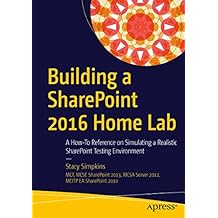
Product Details
Building a SharePoint 2016 Home Lab: A How-To Reference on Simulating a Realistic SharePoint Testing Environment
https://www.amazon.com/gp/search?index=books&linkCode=qs&keywords=9781484221709

SharePoint 2013

Best Books as Suggested by Students

Admin / PowerShell


Microsoft SharePoint 2013 Pocket Guide (Other Sams)

Sep 20, 2013 – Ben Curry

PowerShell for SharePoint 2013 How-To

Feb 20, 2013 – Steven Mann
Product DetailsProduct Details
Professional SharePoint 2010 Administration and Professional SharePoint 2013 Administration by Shane Young Steve Caravajal and Todd Klindt
Note that I recommend both books since there is little overlap.
Product Details
Microsoft SharePoint 2013 Administration Inside Out by Randy Williams, CA Callahan, Chris Givens and John Milan Gross (Jan 25, 2014)

Workflow

Product Details
Beginning SharePoint 2013 Workflows by Bjoern H. Rapp

http://www.amazon.com/Beginning-SharePoint-2013-Workflows-Bjoern/dp/1430258780

Note that Microsoft Press is now Pearson – March 2014http://www.businesswire.com/news/home/20140311006202/en/Pearson-Announces-Publishing-Distribution-Agreement-Microsoft-Press#.U6mkTnInKig
O’ Reilly Media is no longer – Sept 2013http://blogs.msdn.com/b/microsoft_press/archive/2013/09/30/microsoft-press-announcement.aspx

Free Books

Books And Tutorials for SharePoint 2013 and 2010
http://www.ashokraja.me/books/

Good Guide on Client-Side Web Design – 2010

https://msdn.microsoft.com/en-us/library/hh404092.aspx

SharePoint 2010

Get this book for great Tips and Tricks for Site Owners!

Product Details
SharePoint 2007 and 2010 Customization for the Site Owner by Michael T Smith

Must read to help site owners understand security!

Product Details SharePoint 2010 Security for the Site Owner: and for Administrators and Developers! by Michael T Smith
Admin
Microsoft - SharePoint 2010 Administrator's Companion by Bill English, Brian Alderman, Mark Ferraz
http://www.amazon.com/Microsoft-SharePoint-2010-Administrators-Companion/dp/0735627207
Product Details
Professional SharePoint 2010 Administration by Todd Klindt, Shane Young and Steve Caravajal - WROX - Professional SharePoint 2010 Administration by Todd, Shane and Steve http://www.amazon.com/Professional-SharePoint-2010-Administration-Klindt/dp/0470533331
Product Details
Mastering Microsoft SharePoint Foundation 2010
Architech - Planning
Managing and Implementing Microsoft SharePoint Projects 
http://www.amazon.com/Managing-Implementing-Microsoft-SharePoint-Projects/dp/0735648700
Wrox - "Real World SharePoint 2010"... it's a number of authors each with a different topic. thx Charles
 
http://www.amazon.com/Real-World-SharePoint-2010-Indispensable/dp/0470597135/ref=pd_sim_b_1

Governance
Essential SharePoint 2010: Overview, Governance, and Planning (Addison-Wesley Microsoft Technology Series)  A recommeded governance book (for beginners like me)
http://www.amazon.com/Essential-SharePoint-2010-Governance-Addison-Wesley/dp/0321700759

Introduction
 Beginning SharePoint 2010 Administration: Windows SharePoint Foundation 2010 and Microsoft SharePoint Server 2010
http://www.amazon.com/Beginning-SharePoint-2010-Administration-Foundation/dp/0470597127/ref=sr_1_1?ie=UTF8&qid=1339606257&sr=8-1

Powershell
"The Ultimate Guide Book" for SharePoint Powershell
 http://www.amazon.com/Automating-SharePoint-2010-Windows-PowerShell/dp/0470939206
Great book written for the Windows Administrator (not a developer)
http://www.amazon.com/Automating-Microsoft-Windows-Server-PowerShell/dp/1118013867/ref=ntt_at_ep_dpt_2


Student Book Recommendations
Microsoft SharePoint Designer 2010 Step by Step (varied reviews)
http://www.amazon.com/Microsoft-SharePoint-Designer-2010-Step/dp/0735627339/ref=sr_1_2?s=books&ie=UTF8&qid=1337663155&sr=1-2
Microsoft SharePoint 2010 Administrator’s Companion - Microsoft Press
http://www.amazon.com/Microsoft-SharePoint-2010-Administrators-Companion/dp/0735627207
Excellent book for new or experienced SharePoint administrators. This book covers architecture, installation, upgrading, SQL optimization, information management, protecting content and data, external data sources, general administration tasks, and much more.

Microsoft SharePoint 2010 Unleashed - Sams
http://www.amazon.com/Microsoft-SharePoint-2010-Unleashed-Michael/dp/0672333252/ref=sr_1_1?s=books&ie=UTF8&qid=1343247333&sr=1-1&keywords=sharepoint+2010+unleashed+sams
Learn about the new features in SharePoint 2010 and how to architect and implement a new farm. This book is for architects and SharePoint administrators. The book covers architecture, installation, disaster recovery,SQL maintenance,alternate authentication scenarios, workflows, BI solutions, and much more.

Microsoft SharePoint 2010: Building Solutions for SharePoint 2010 - Apress
http://www.amazon.com/Microsoft-SharePoint-2010-Solutions-Professionals/dp/1430228652/ref=sr_1_1?s=books&ie=UTF8&qid=1343247358&sr=1-1&keywords=building+solutions+for+sharepoint+2010+apress
This is a book for SharePoint developers to learn about creating custom solutions for SharePoint 2010. The book starts with the basics about setting up a development machine and moves through other topics such as: SharePoint basics, solution framework, web parts and pages, client object model, workflows, business intelligence, security, and much more.

Essential SharePoint 2010: Overview, Governance and Planning - Addison-Wesley Professional
http://www.amazon.com/Essential-SharePoint-2010-Governance-Addison-Wesley/dp/0321700759/ref=sr_1_1?s=books&ie=UTF8&qid=1343247391&sr=1-1&keywords=essential+sharepoint+2010
This book focuses on helping the reader learn how to maximize the business value of SharePoint 2010 solutions. From a strict business value perspective the book explains how to plan and implement SharePoint solutions. This book covers governance, information architecture, ECM, leveraging community features, making search work, making business processes work, making business intelligence work, and much more.

SharePoint 2010 How-To - Sams
http://www.amazon.com/SharePoint-2010-How--Ishai-Sagi/dp/067233335X/ref=sr_1_2?s=books&ie=UTF8&qid=1343247411&sr=1-2&keywords=sharepoint+how+to+sams
This book is a great starting point for anyone new to SharePoint. This first chapter of the book is all about “What is…?”, to help the reader understand the basic components of SharePoint such as lists, libraries, web parts, workflows, and alerts. Readers will learn how to accomplish standard SharePoint tasks such as: searching content in SharePoint, using social networking features, creating lists and libraries, and managing security.

Microsoft-SharePoint-2010-Implementing-Real-World
http://www.amazon.com/Microsoft-SharePoint-2010-Implementing-Real-World/dp/0735662827/ref=sr_1_4?s=books&ie=UTF8&qid=1348756941&sr=1-4&keywords=real+world+sharepoint
... I was very excited when this book first came out because it appeared to contain step by step instructions to create compelling business solutions using SharePoint. When I began to build out the solutions I was struck by how poorly the book was edited. Many of the steps in buildout would use completely different syntax several times in the steps to represent the same word that needed to be entered to create columns or write rules. ...

Free Books and Content


Free Book Microsoft on Upgrade to 2010
http://www.microsoft.com/downloads/en/details.aspx?FamilyID=fd2172e1-f9a7-45ce-ae5c-26714fd751f5&displaylang=en
SharePoint 2010 Products
http://technet.microsoft.com/library/ee428287(office.14).aspx
Downloadable Content - Foundation
http://technet.microsoft.com/en-us/library/cc288773.aspx
Downloadable Content - SharePoint Server
http://technet.microsoft.com/en-us/library/cc262788.aspx
How To Print a Book from TechNet
http://blogs.technet.com/b/tothesharepoint/archive/2011/07/27/export-your-own-technet-book.aspx

Monday, July 17, 2017

Web Application vs Site Collection vs Site

SharePoint 2016/2013/2010

UPDATES:

Search Configuration is done at both at Site and Site Collection level

Farm Settings – SPFarm

Max Database 500
Farm Administration
Email Settings

Web Application Settings – SPWebApplication

https://technet.microsoft.com/en-us/library/cc261978(v=office.16).aspx

http://technet.microsoft.com/en-us/library/cc287691.aspx (2010)

NOT RECOMMENDED!!! Shredded Storage can be disabled and re-enabled per Web Application
Recycle Bin: per Web App.  How long items are deleted from user bins and Second Stage recycle bin size.
Maximum Upload Size: per Web Application.
Authentication Provider:  Choose up to 5 zones

Define Managed Paths: per web application only.
Enable Self Service Site Creation: per web application level.
Blocked File Types: per Web Application

List Throttling: per Web Application
Service Application Association
Dedicated Add-in or App Settings
Email Settings


Site Collection – SPSite

https://technet.microsoft.com/en-us/library/ff607925(v=office.16).aspx

http://technet.microsoft.com/en-us/library/ff607786.aspx (2010)
Recycle Bin: Dedicated Recycle Bin for the site collection
Dedicated usage reports: Usage reports work on the site collection level.
Dedicated Administration: Site Collection Administrators

http://technet.microsoft.com/en-us/library/cc263199.aspx#architecture
Search Configuration: Configurable search scopes, keywords and best bets
Galleries: Galleries for libraries, images and styles
Site Quota templates: All sites within a site collection contribute to the quota.
Dedicated Database: Recommended due to improved DR and smallest unit to allow/restore with full fidelity restore
Permissions: Permissions are not inherited from another site
Considered a “Security Boundary”
URL Character Limit 150 (2016 to remove but remains)

Site - SPWeb

https://technet.microsoft.com/en-us/library/ff607925(v=office.16).aspx

http://technet.microsoft.com/en-us/library/ff607786.aspx (2010)
Administration: Needs to be controlled from Site Collection Admin
Site Features: Features particular to your site
MDS:Minimal Download Strategy
Navigation: Inherit navigation from parent site
Permissions: Inherit permissions from Site Collection
Sharing: Share and consume list data from other sites in same site collection
Themes: Themes are site specific
URL Character Limit 255 (2016 to remove but remains)

References

Plan Site/Site Collections – TechNet - 2016

https://technet.microsoft.com/en-us/library/cc263267(v=office.16).aspx

Design Checklists/Worksheets – 2013 or 2010

http://technet.microsoft.com/en-us/library/cc262451.aspx (2013)

http://nikpatel.net/2012/03/11/checklist-for-designing-and-implementing-sharepoint-2010-extranets-things-to-consider/

http://www.sharepointgeoff.com/implementation-checklist/

Wednesday, April 8, 2015

SharePoint Career– V.Next


SharePoint .next is coming …

More to come

SharePoint 2016

Looking forward to a technical career with SharePoint? 

SharePoint technical careers fall typically along two major careers paths of an administration or development, but many do both roles. SharePoint administrators typically start out as a site, site collection administrator or server administrator and grow into a SharePoint farm administrator role.  Developers typically start either as a ASP.NET developer or SharePoint designer and then grow into a SharePoint developer role.  SharePoint architects and BI experts are worth noting since they have mastered SharePoint administrator, BI and developer skills.

Here are a list of career paths and the corresponding training paths.

Administration
SharePoint Site Collection Administrator
SharePoint Farm Administrator

Development
SharePoint Site Designer or SharePoint UX Designer
SharePoint Developer

Business Intelligence – BI
SharePoint Site Collection Administrator
SharePoint Farm Administrator
SharePoint Site Designer or SharePoint UX Designer
SharePoint Developer
SharePoint BI

SharePoint Architect
SharePoint Administration and Developer

SharePoint Site Collection Administrator

Basic SharePoint and Site Administration Skills
55033 – SharePoint 2013 Site Collection and Site Administration

Technical SharePoint Administrator
MCSE: Productivity
MCSE: SharePoint (Retired March 31 2017)

O365, On-premises, Azure Administrators

CompTIA A+ or equivalent knowledge
CompTIA Network+ or equivalent knowledge
CompTIA Server+ or equivalent knowledge

CompTIA Security+ or equivalent knowledge

PowerShell
10961 – Automating Administration with PowerShell 3.0

MCSA: Windows Server 2012
20410 – Installing and Configuring Windows Server 2012
20411 – Administering Windows Server 2012
20412 – Configuring Advanced Windows Server 2012 Services

SQL Administration
20461/10774 – Querying Microsoft SQL Server 2012
20462/10775 – Administering Microsoft SQL Server 2012 Databases
20463/10777 – Implementing a Data Warehouse with Microsoft SQL Server 2012

Office 365 - Needed for Hybrid Solutions Only
20346B - Managing Office 365 Identities and Services

Basic SharePoint and Site Administration Skills
55033 – SharePoint 2013 Site Collection and Site Administration

SharePoint 2013 Administrator (Farm)
20331 - Core Solutions of Microsoft SharePoint Server 2013
20332 - Advanced Solutions of Microsoft SharePoint Server 2013

SharePoint 2016 Administrator (Farm)
20339-1 - Planning and Administering Microsoft SharePoint Server 2016
20339-2 – Advanced Technologies of Microsoft SharePoint Server 2016
 

SharePoint Site/UX Designer

Basic SharePoint and Site Administration Skills
55033 – SharePoint 2013 Site Collection and Site Administration

HTML and CSS
Web Design with HTML5 and CSS3 - Level 1 (1 Day)
Web Design with HTML5 and CSS3 - Level 2 (1 Day)

SharePoint Designer
Microsoft SharePoint Designer 2013 (1 Day)

SharePoint Developer

MCSA: Web Applications
MCSD: App Builder
MCSD SharePoint Applications (Retired March 31 2017)

https://www.microsoft.com/en-us/learning/mcsd-sharepoint-apps-certification.aspx

https://dev.office.com/sharepoint/about

The developer track is a highly debated track but here is my advice as an administrator.  Reference

HTML5 JavaScript and CSS
20480 - Programming in HTML5 with JavaScript and CSS3

ASP.NET Programming
20486 - Developing ASP.NET MVC Web Applications

Basic SharePoint and Site Administration Skills
55033 – SharePoint 2013 Site Collection and Site Administration

SharePoint 2013 Developer
20488 - Developing Microsoft SharePoint Server 2013 Core Solutions
20489 - Developing Microsoft SharePoint Server 2013 Advanced Solutions

Back End SharePoint Developer – Farm Skills Added
MCSD SharePoint

CompTIA A+ or equivalent knowledge
CompTIA Network+ or equivalent knowledge
CompTIA Server+ or equivalent knowledge
CompTIA Security+ or equivalent knowledge

PowerShell
10961 – Automating Administration with PowerShell 3.0

MCSA: Windows Server 2012
20410 – Installing and Configuring Windows Server 2012
20411 – Administering Windows Server 2012
20412 – Configuring Advanced Windows Server 2012 Services

SQL Administration
20461/10774 – Querying Microsoft SQL Server 2012
20462/10775 – Administering Microsoft SQL Server 2012 Databases
20463/10777 – Implementing a Data Warehouse with Microsoft SQL Server 2012

Office 365 - Needed for Hybrid Solutions Only
20346B - Managing Office 365 Identities and Services

Basic SharePoint and Site Administration Skills
55033 – SharePoint 2013 Site Collection and Site Administration

SharePoint Administrator (Farm)
20331 - Core Solutions of Microsoft SharePoint Server 2013
20332 - Advanced Solutions of Microsoft SharePoint Server 2013

HTML5 JavaScript and CSS
20480 - Programming in HTML5 with JavaScript and CSS3

ASP.NET Programming
20486 - Developing ASP.NET MVC Web Applications

SharePoint 2013 Developer
20488 - Developing Microsoft SharePoint Server 2013 Core Solutions
20489 - Developing Microsoft SharePoint Server 2013 Advanced Solutions

Business Intelligence
MCSE Business Intelligence

20461C:(5 day) Querying Microsoft SQL Server 2014
20462C: (5 day) Administering Microsoft SQL Server Databases
20463C: (5 day) Implementing a Data Warehouse with Microsoft SQL Server
20466C: (5 day) Implementing Data Models and Reports with Microsoft SQL Server – Intro BI - Performance Point – SSRS
20467C: (5 day) Designing Business Intelligence Solutions with Microsoft SQL Server 2012

Tuesday, November 4, 2014

Wednesday, September 28, 2011

Developer Dashboard

Good article here
http://blogs.msdn.com/b/russmax/archive/2010/02/10/sharepoint-2010-logging-improvements-part-2-introducing-developer-dashboard.aspx

Good article here for devs
http://www.sharepoint4developers.net/en-nz/post/sharepoint-2010-developer-dashboard.aspx

Todd on Developer Dashboard
http://www.toddklindt.com/blog/Lists/Posts/Post.aspx?ID=189

Monitoring SharePoint 2010 Performance and the Developer Dashboard
http://sharepoint.microsoft.com/Blogs/GetThePoint/Lists/Posts/Post.aspx?ID=457

Why SharePoint 2010 Developer Dashboard Is For All IT Professionals
http://blogs.msdn.com/b/chrisfie/archive/2010/01/29/why-sharepoint-2010-developer-dashboard-is-for-all-it-professionals.aspx

Bill Baer’s take on Developer Dashboard
http://blogs.technet.com/b/wbaer/archive/2009/11/21/welcome-to-the-developer-dashboard.aspx

Special Project - http://blogs.msdn.com/b/tejasr/archive/2011/07/01/sharepoint-2010-performance-dashboard-server-performance-reporting-post-1.aspx

QUICK NOTE: Although you can control Developer Dashboard with PowerShell to get more control an easy fast solution is to just use site?developerdashboard=true in your URL after your turn the developer dashboard on.

More on permissions
http://blogs.technet.com/b/speschka/archive/2009/10/28/using-the-developer-dashboard-in-sharepoint-2010.aspx

The on demand setting is really the optimal setting in my opinion.  Here’s what it gives you:  once it is set to on demand, site collection admins can turn it on or off.  When they do, it only turns it on or off for that particular site collection.  Equally as good, only the person that turned it on sees the output – your everyday users will not see the output from developer dashboard so this becomes a really valuable troubleshooting tool.  Even more interesting is that if you have multiple site collection admins and one of them toggles it on, the output is displayed only for that person, not for every site collection admin.   Want more flexibility?  Well you can even change the permissions that are required to see the dashboard output.  The DeveloperDashboardSettings has a property called RequiredPermissions.  You can assign a collection of base permissions (like EditLists, CreateGroups, ManageAlerts, or whatever you want) to it; only those people that have those permissions will be able to see the output.  So you have a great deal of flexibility and granularity in deciding when to use it the dashboard output and who will see it.